
Blog
My Website Gets Traffic But No Sales? Here’s How to Fix It (The 2025 Guide)
Are you constantly checking your analytics, watching your website traffic grow, but seeing zero movement in your sales or leads? You’re not alone. The problem of having a website that gets traffic but no sales is one of the most frustrating experiences for online businesses.
This comprehensive guide will diagnose the exact reasons why your website isn’t generating leads and provide a clear, actionable plan to fix it. Let’s transform your website from a passive brochure into a powerful sales engine.
The Core Problem: You’re Driving Traffic, But Not Conversions
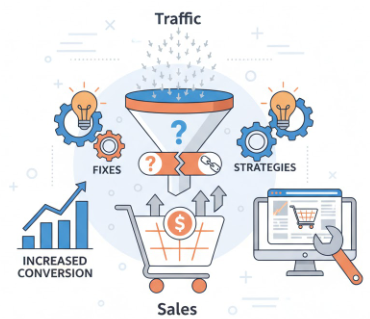
First, understand this: High traffic with low conversions means your website is a leaky bucket. You’re pouring visitors in, but they’re falling out before taking action. This is a conversion rate optimization (CRO) problem, not a traffic problem.
7 Reasons Your Website Gets Traffic But No Sales
1. Your Value Proposition is Unclear or Weak
Within seconds, a visitor should know exactly what you do and why they should care. A confusing or generic message is a primary reason for high traffic low conversions.
The Fix: Craft a crystal-clear headline that speaks directly to your ideal customer’s primary pain point and the solution you provide.
2. You’re Targeting the Wrong Audience
Not all traffic is good traffic. If your marketing efforts are attracting people who aren’t a good fit for your product, you’ll see visits but no sales.
The Fix: Re-evaluate your SEO keywords and ad targeting. Are you attracting “looky-loos” or qualified buyers? Create detailed buyer personas.
3. Your Website Lacks Trust Signals
Why should a stranger trust you with their money or contact information? A website with no trust signals feels risky.
The Fix: Add customer testimonials, client logos, case studies, security badges, and media mentions to build immediate credibility.
4. Your Call-to-Action (CTA) is Ineffective
A weak, hidden, or confusing call to action is a conversion killer. “Submit” or “Click Here” doesn’t inspire action.
The Fix: Use action-oriented, benefit-driven CTA copy like “Get My Free Proposal” or “Start My High-Converting Plan.” Make sure it stands out visually.
5. Poor User Experience (UX) and Navigation
A confusing, slow, or non-mobile-friendly website drives people away. If users can’t find what they need easily, they will leave.
The Fix: Simplify your navigation, ensure your site is mobile-responsive, and improve page load speed. A cluttered website design hurts conversions.
6. You’re Not Speaking to Customer Pain Points
Your website might be listing features instead of selling benefits. Visitors are asking, “What’s in it for me?”
The Fix: Reframe your copy to focus on the outcomes and benefits your customer will experience. Use their language, not industry jargon.
7. There’s No Sense of Urgency or Scarcity
Without a reason to act now, visitors will bookmark your page and never return, leading to website visitors not converting.
The Fix: Implement legitimate urgency (e.g., “Offer ends Friday”) or scarcity (e.g., “Only 3 spots left”) to encourage immediate decision-making.
Your Action Plan: From Traffic to Conversions
Fixing a website that doesn’t convert requires a systematic approach. Don’t try to fix everything at once.
Audit Your Analytics: Use Google Analytics to see where your traffic is dropping off (this is called high bounce rate pages).
Implement the Fixes Above: Start with the biggest, most obvious problem from the list.
A/B Test Everything: Make one change at a time (e.g., a new headline) and test it against the old version to see what improves your conversion rate.
Tired of Guessing? Get a Proven System
Diagnosing these problems is one thing. But knowing the exact steps to fix every page on your site—from your homepage to your blog posts—is another.
This is exactly why we created The Missing Website 3.0 Conversion Checklist. It’s the complete system we use to audit and fix websites that suffer from “all traffic, no sales.” It goes beyond this article to give you a step-by-step checklist for your entire site.
Stop leaving money on the table.
Get The Missing Website 3.0 Conversion Checklist and finally turn your traffic into profit.
FAQ: My Website Gets Traffic But No Sales
Q: How much traffic is enough to start worrying about no sales?
A: If you have a consistent 500-1000+ visitors per month and zero conversions, it’s a definite sign that your website has a conversion problem, not a traffic problem.
Q: What is a good conversion rate?
A: It varies by industry, but 2-5% is a common benchmark for lead generation. For e-commerce, it might be lower. The key is to focus on improving your own rate, not just hitting an average.
Q: Should I stop all advertising if my site isn’t converting?
A: It’s often wise to pause scaling your ads until you fix the conversion issues. Otherwise, you’re just wasting more money on a broken system. Use that budget for optimization instead.
About Us
At LifeToDigital, we make website building simple with ready-to-use templates, checklists, and systems. Our goal is to help freelancers, entrepreneurs, and agencies launch high-converting websites faster and with confidence.
Contact Us
📩 Email: info@lifetodigital.com
Copy Rights © Life to Digital 2020. All Rights Reserved.